“I just got my first paycheck, but I don't know how to divide it up.”
Know how to allocate your monthly income.
Paycheck PlannerFree during beta · 5 tools · 5 Excel trackers
Simple, beginner-friendly tools to help you plan your paycheck, build savings, prepare for big expenses, and start investing with confidence.
Made for recent grads, first paychecks, and first apartments. No financial experience needed.
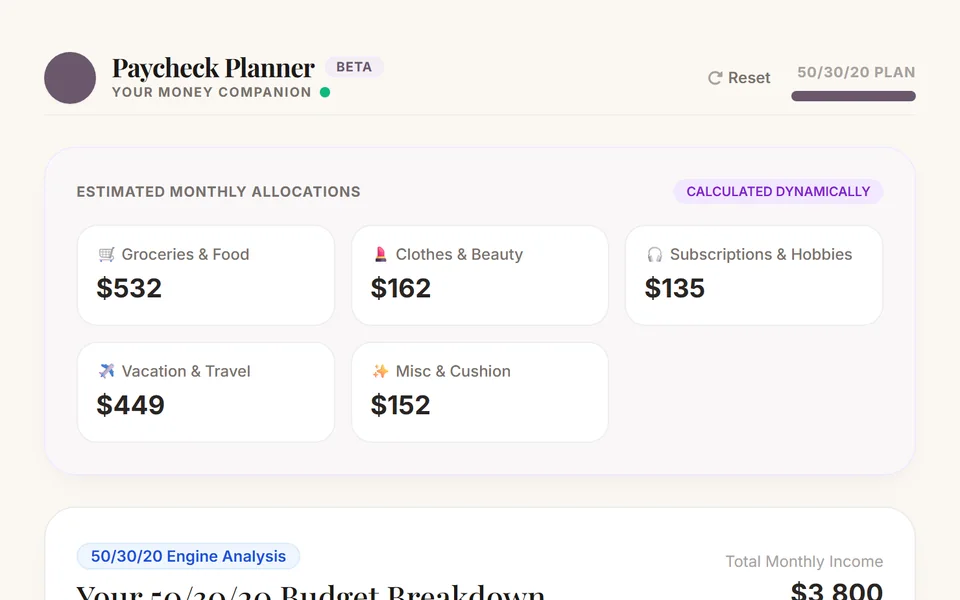
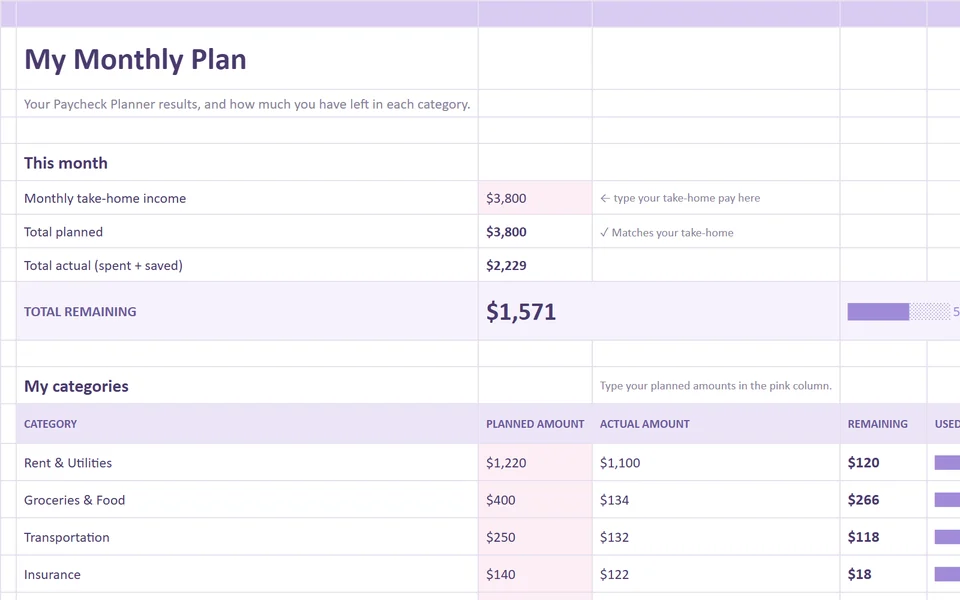

Real screenshots of the real tools
Spreadsheets you can open and edit
Honest about being in beta
Free to try, no checkout
What's included
Every tool pairs a quick web app with an Excel tracker, so you can plan first and then keep track as real life happens.
Use the interactive web app to calculate, plan, and organize your finances. It runs in your browser, so there is nothing to install.
Use the companion Excel tracker to record what actually happens and monitor your progress over time.
Sound familiar?
“I just got my first paycheck, but I don't know how to divide it up.”
Know how to allocate your monthly income.
Paycheck Planner“I want to save money, but I don't know how much to put away.”
Create realistic savings goals.
Savings Goals Planner“I want to start investing, but the whole process feels intimidating.”
Plan your savings and investment contributions.
Save & Invest Planner“I'm moving into my first apartment and have no idea how much it will cost.”
Prepare for large expenses before they happen.
Moving Budget Planner“I don't really know how healthy my finances are.”
Understand your overall financial health.
Financial CheckupExplore the tools
Each one has a beta web app and a downloadable Excel tracker. They are separate things, so open the app, download the tracker, or do both.
All five are free during beta
Quick wins
Turn your take-home pay into a plan you can follow.
Get a clear amount to put away for your next goal.
See what to tackle first: savings, investing, or everyday spending.
Know what your first apartment could cost before you commit.
Use an Excel tracker to see how your real month compares to the plan.
About
Managing money on your own for the first time can feel intimidating, especially when nobody has shown you where to begin.
I built this toolkit to make that first step less overwhelming: simple tools that turn a confusing question into a clear next step, plus spreadsheets to help you keep going.
It's an early version and I'm still improving it. If something is confusing or missing, I'd genuinely like to hear about it.
Early access
These tools are early versions, and you get to use them before anyone else. Your feedback will shape what gets fixed, added, and improved next.

FAQs
Yes. All five products are currently free to explore during beta.
Each product includes an interactive web application and a companion Excel spreadsheet tracker.
No. The tools are designed to be beginner-friendly.
The interactive applications can be accessed through a web browser. The companion trackers are Excel files that you can download.
The web applications can be accessed through a browser. The Excel trackers are best used with a compatible spreadsheet application.
These are beta versions. Feedback will help improve them.

Still have a question? Try a tool and use the feedback form inside it, and I'll see it.
Get simple financial tips, helpful resources, and updates on new tools designed to make managing your money easier.
No spam, just helpful money advice.
You don't need to have everything figured out. Start with one tool, take one step, and build better money habits along the way.
Explore the Free Tools
Get practical money tips, budgeting resources, and updates on new tools to help you feel more confident managing your money.
No spam, just helpful money advice.